
Real double-entry books
built from the bank for
Liqod reads your statements, suggests the account for every line, matches checks and receipts, and keeps the P&L, Balance Sheet and Trial Balance in step — with your review on every entry.

Best-in-class product
A full finance back office, per company
From the bank feed to the finished report, every step lives in one place.
Check image extraction
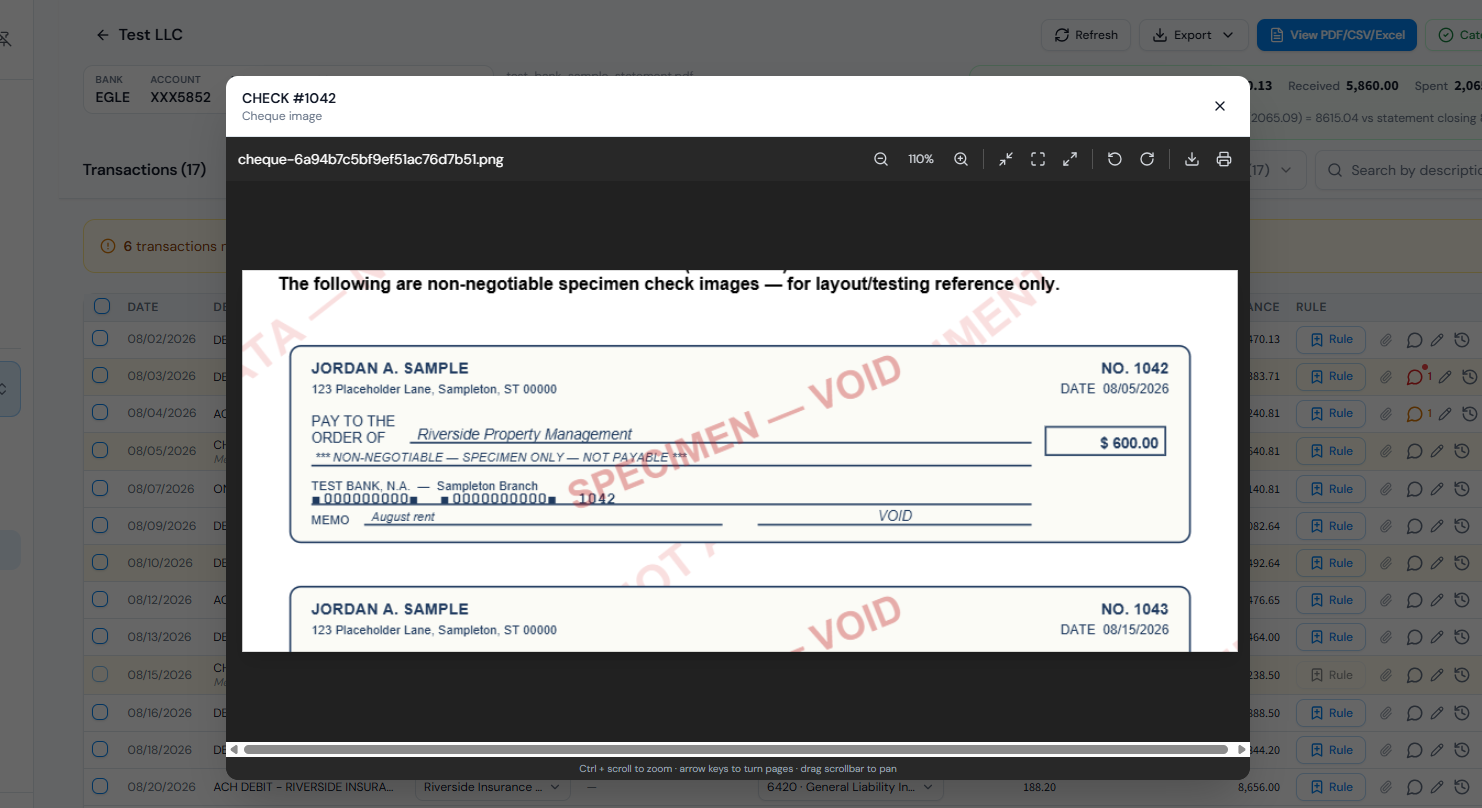
Checks lifted straight out of the statement. Bank statements carry images of every cleared check. Liqod finds each one, crops it, and attaches it to the transaction — with the payee, amount and memo already read off the face of the check.
- Payee and memo captured from the handwriting on the check
- Image sits beside the transaction for audit and review
- Check numbers matched against checks you issued
AI categorisation
Every line coded to your chart of accounts. Liqod reads the raw description, recognises the merchant and proposes the account — using your chart of accounts, not a generic template. You confirm, correct, or turn a correction into a rule.
- Suggestions scored so low-confidence lines surface first
- Save a rule once and identical lines code themselves forever
- Nothing posts to the ledger until you approve it
Cards & receipts
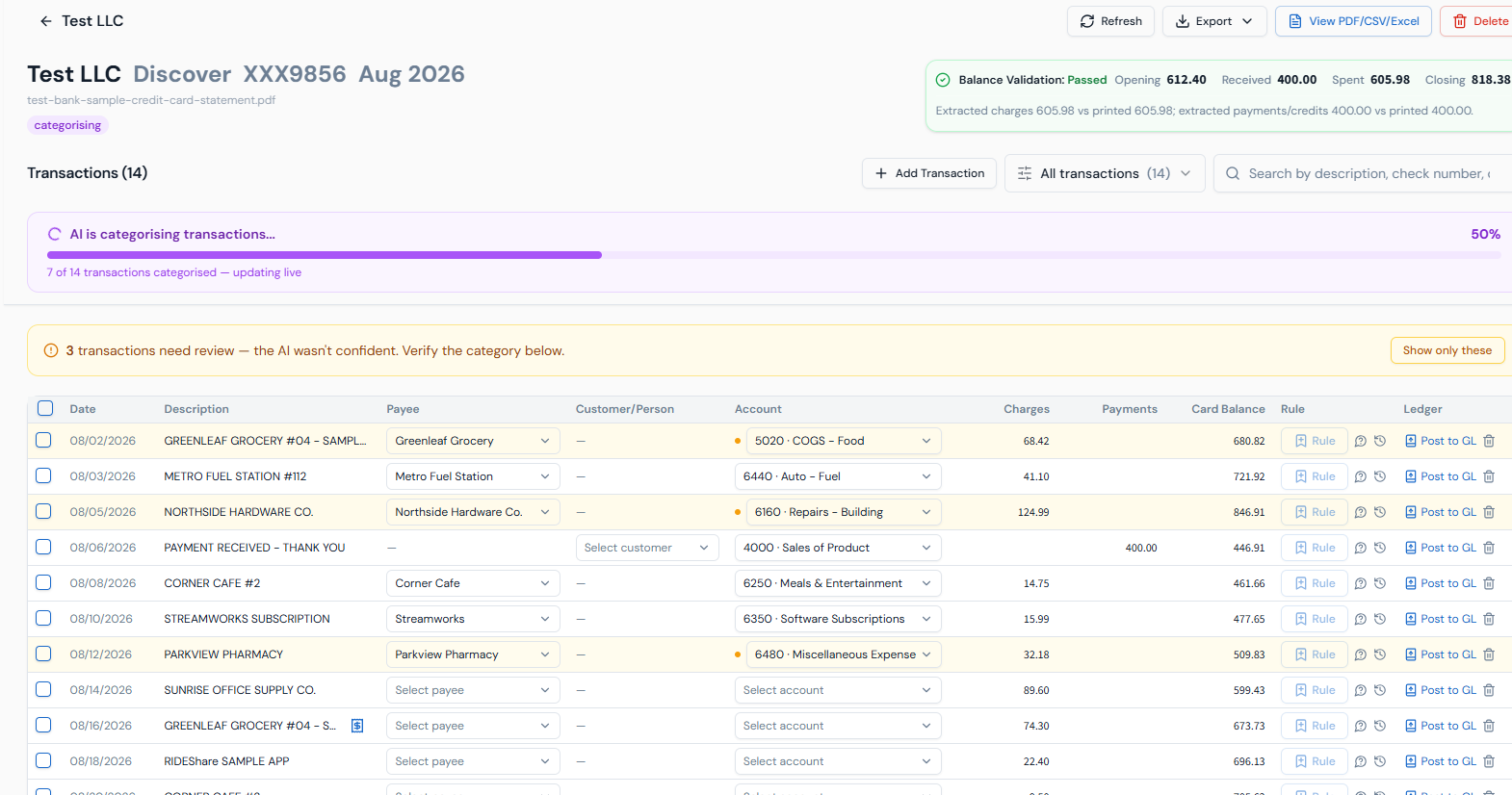
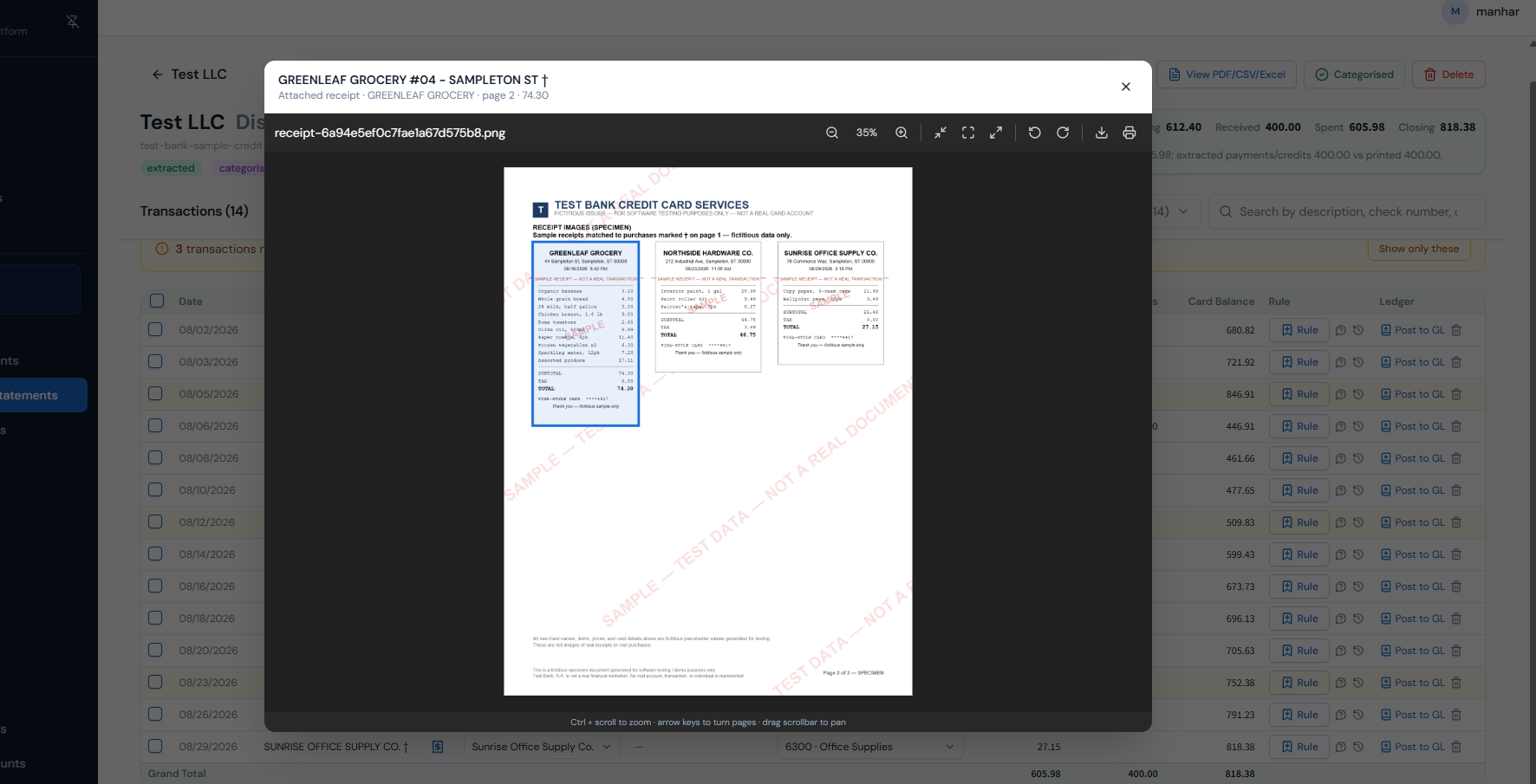
Credit-card statements with receipts attached. Cards are treated as the liability they are: charges increase the balance, payments reduce it. Receipts bundled into the same file are extracted, read, and matched to the charge they belong to.
- Vendor and total read from each receipt automatically
- Charges matched to receipts by amount, date and vendor
- Unmatched charges flagged so nothing goes unsupported
Portfolio reporting
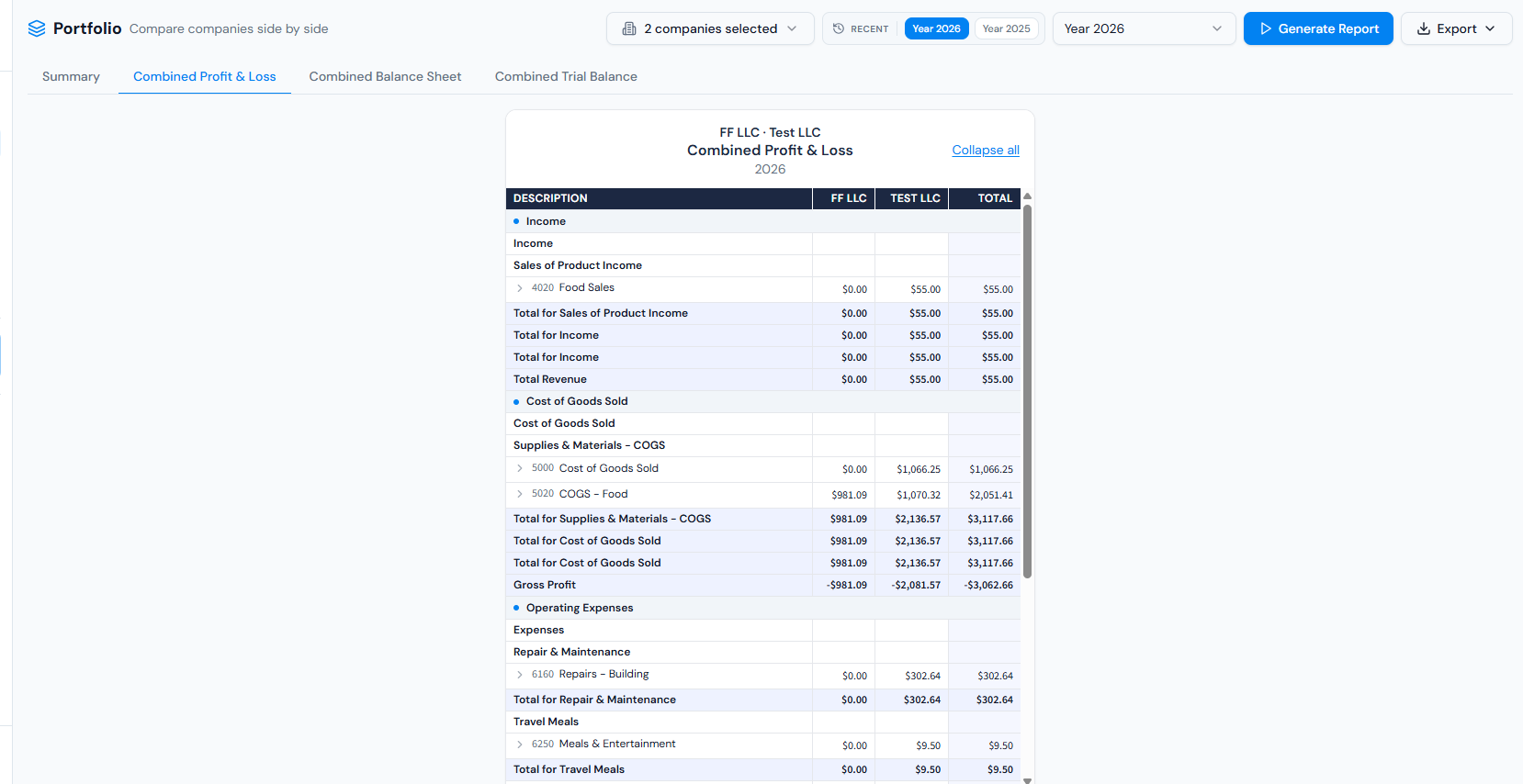
Every company, side by side, one screen. Compare P&L, Balance Sheet and Trial Balance across all the companies you manage — full period or month by month — then export the whole comparison to PDF or Excel.
- P&L, Balance Sheet, Trial Balance and General Ledger
- Drill from any figure straight into the journal entry behind it
- Reports generated from the ledger, never from a cached total
Conversations
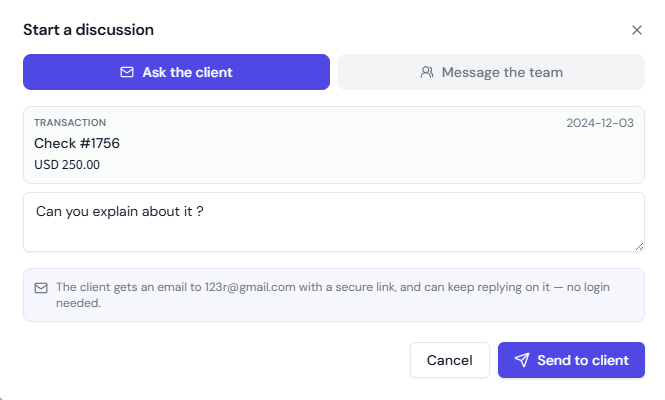
Ask the client. Message the team. On the transaction itself. Open a discussion from any transaction — email the client for the answer, or loop in a teammate in-app. Every reply threads back onto the record, so the question and its answer live where the work is.
- Clients reply through a secure email link — no login, no account
- Teammates discuss the same record in-app, in the shared workspace
- One inbox for every discussion, filtered by needs reply, waiting or all
Tax Prep
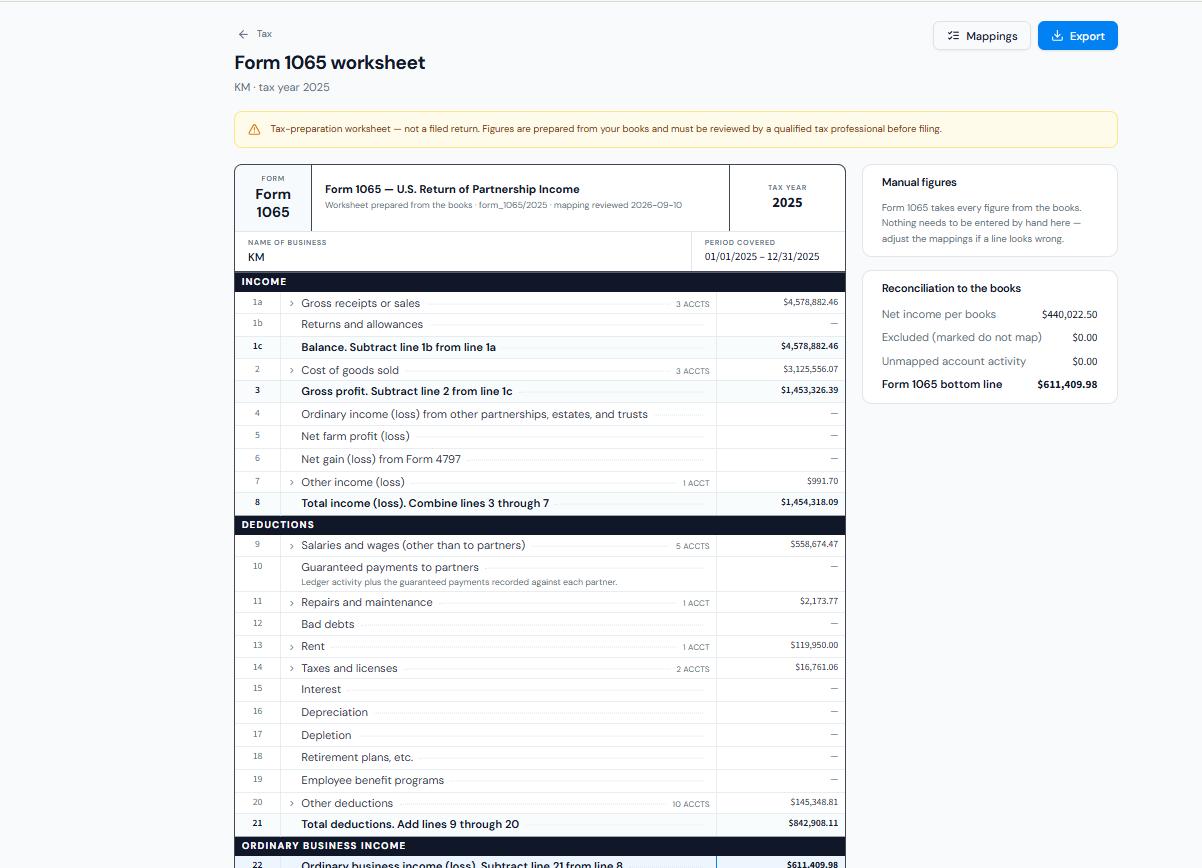
Tax worksheets built straight from the books. Form 1065, 1120-S, 1120, 990 and Schedule C worksheets are assembled line by line from your ledger — every figure traceable to the chart accounts behind it, and reconciled back to net income per books.
- Each form line expands to the chart accounts that fed it
- Unmapped account activity flagged before it reaches the form
- Export the whole worksheet to PDF or Excel for the filer
Auto reconciliation
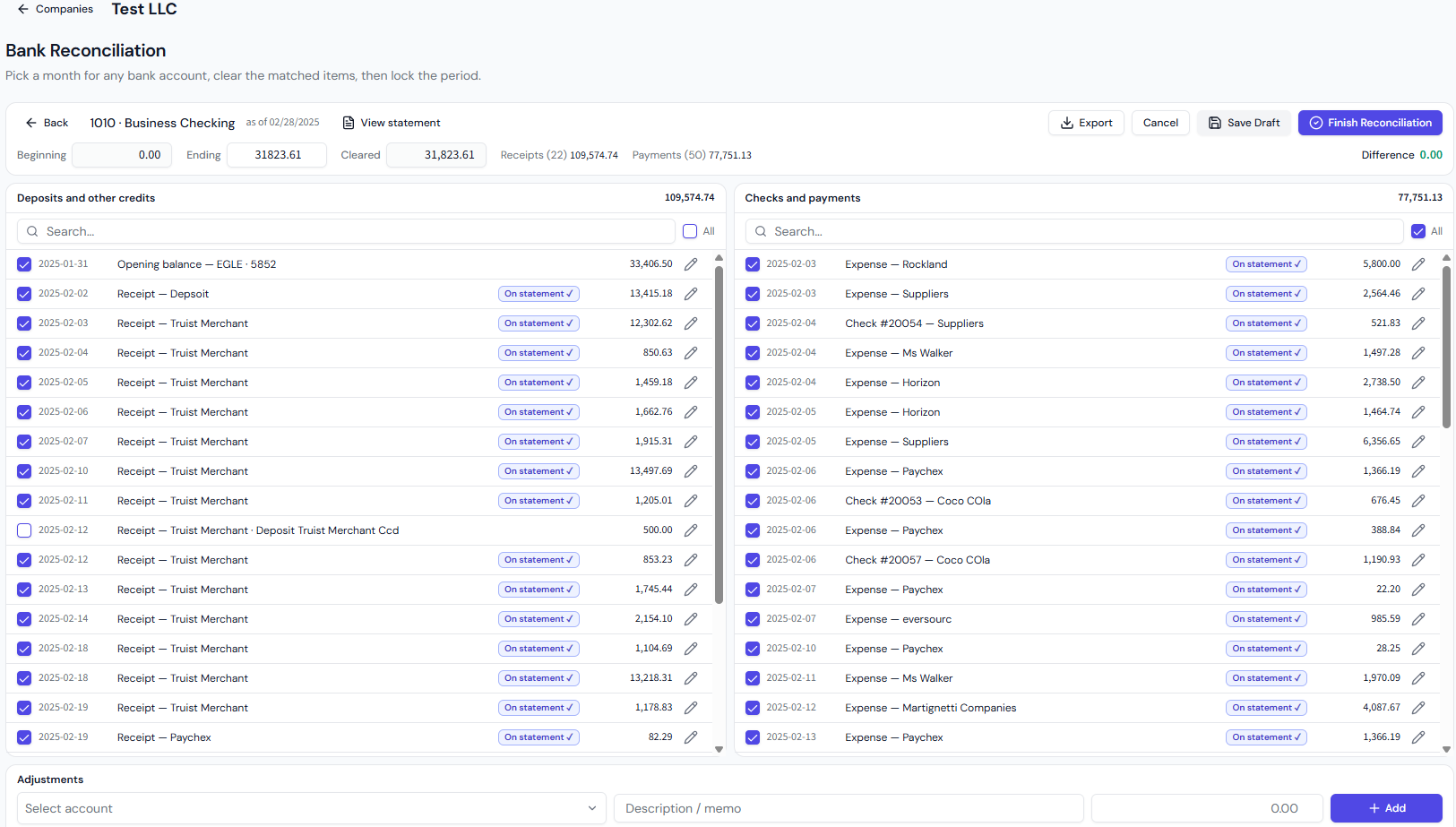
The month clears itself, then locks. Deposits and payments are matched against the statement automatically, so most lines arrive already cleared. Add fees or interest as adjustments, watch the difference fall to zero, and lock the period.
- Matched lines pre-cleared and marked “On statement”
- Adjustments for fees and interest posted as you go
- Lock the period once it balances — reconciled lines stop being editable
Live Bank Feeds
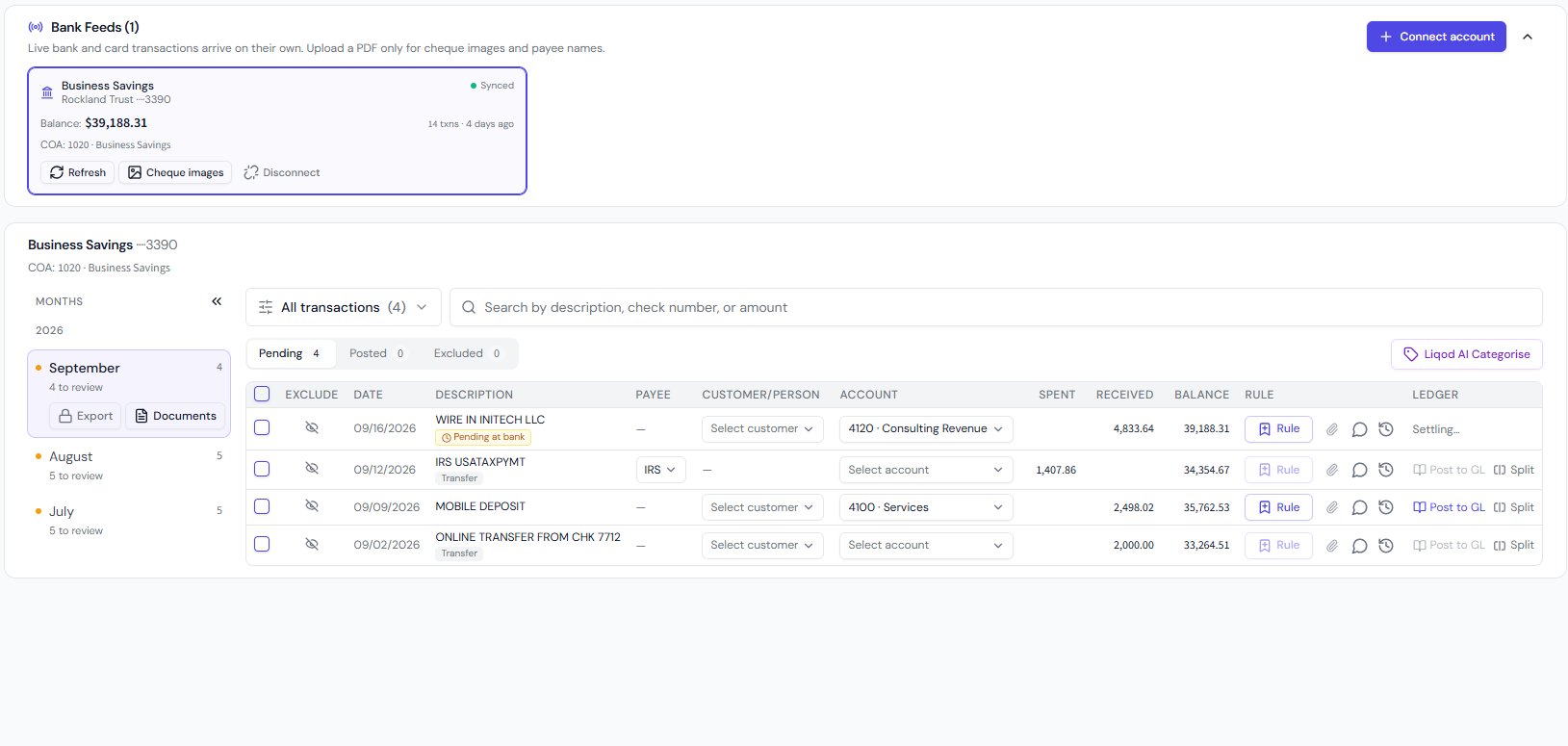
Bank and card transactions arrive on their own. Connect a bank or card account once and every new transaction flows in automatically, grouped by month and ready to code. Upload a PDF only when you want cheque images and payee names added to the feed.
- Live balances and sync status for every connected account
- Pending, posted and excluded rows kept apart month by month
- Liqod AI categorises feed rows to your chart of accounts
Review & Adjust
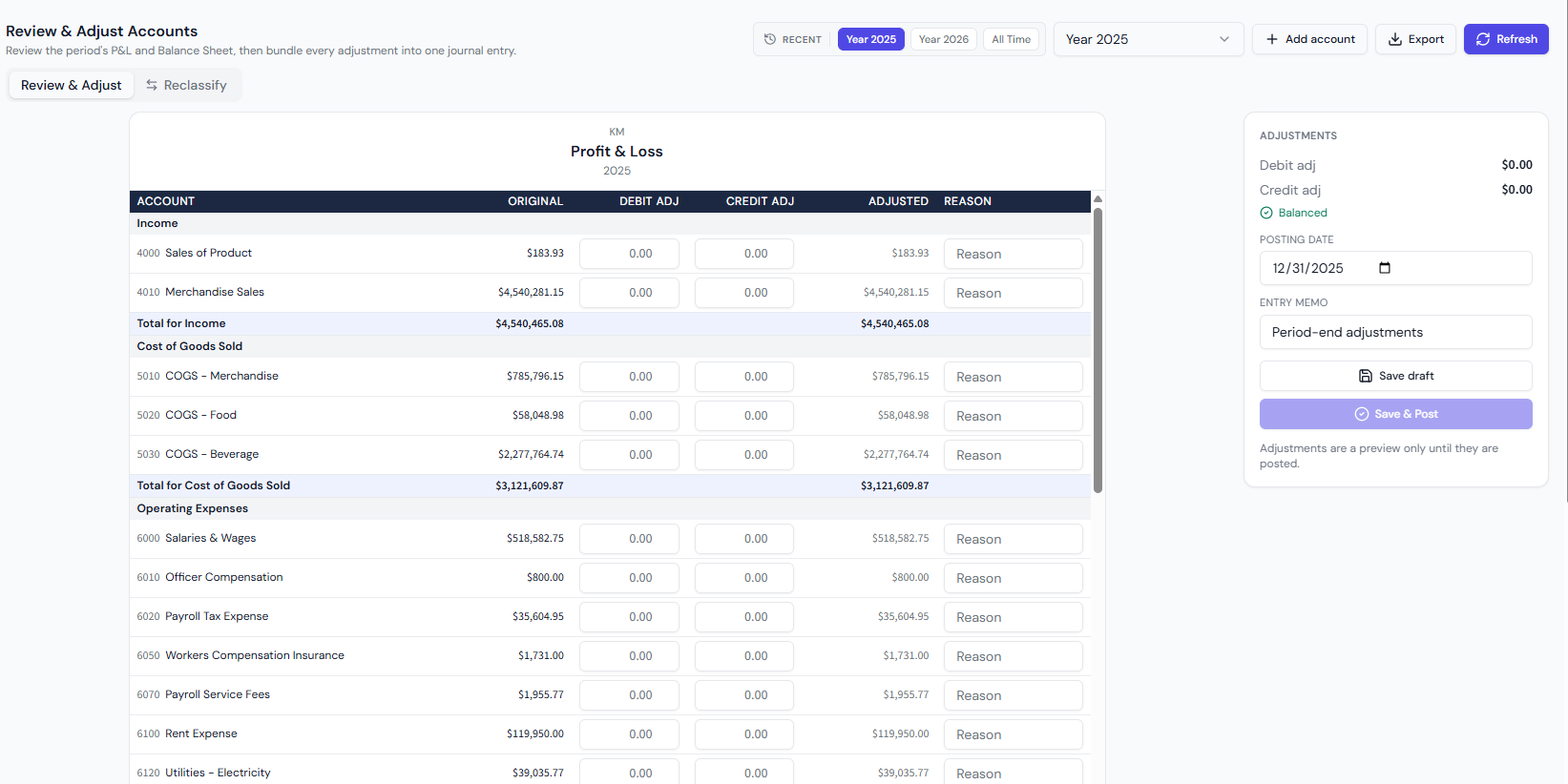
Adjust the period, then reclassify in bulk. Review the P&L and Balance Sheet line by line, enter debit and credit adjustments with a reason, and post them all as one balanced journal entry. Found rows in the wrong account? Reclassify them in bulk — account, payee or both.
- Every adjustment bundled into one balanced journal entry
- Save drafts and post when the period is ready
- Move bank rows, receipts, expenses, checks and bill payments at once
AI Document Inbox
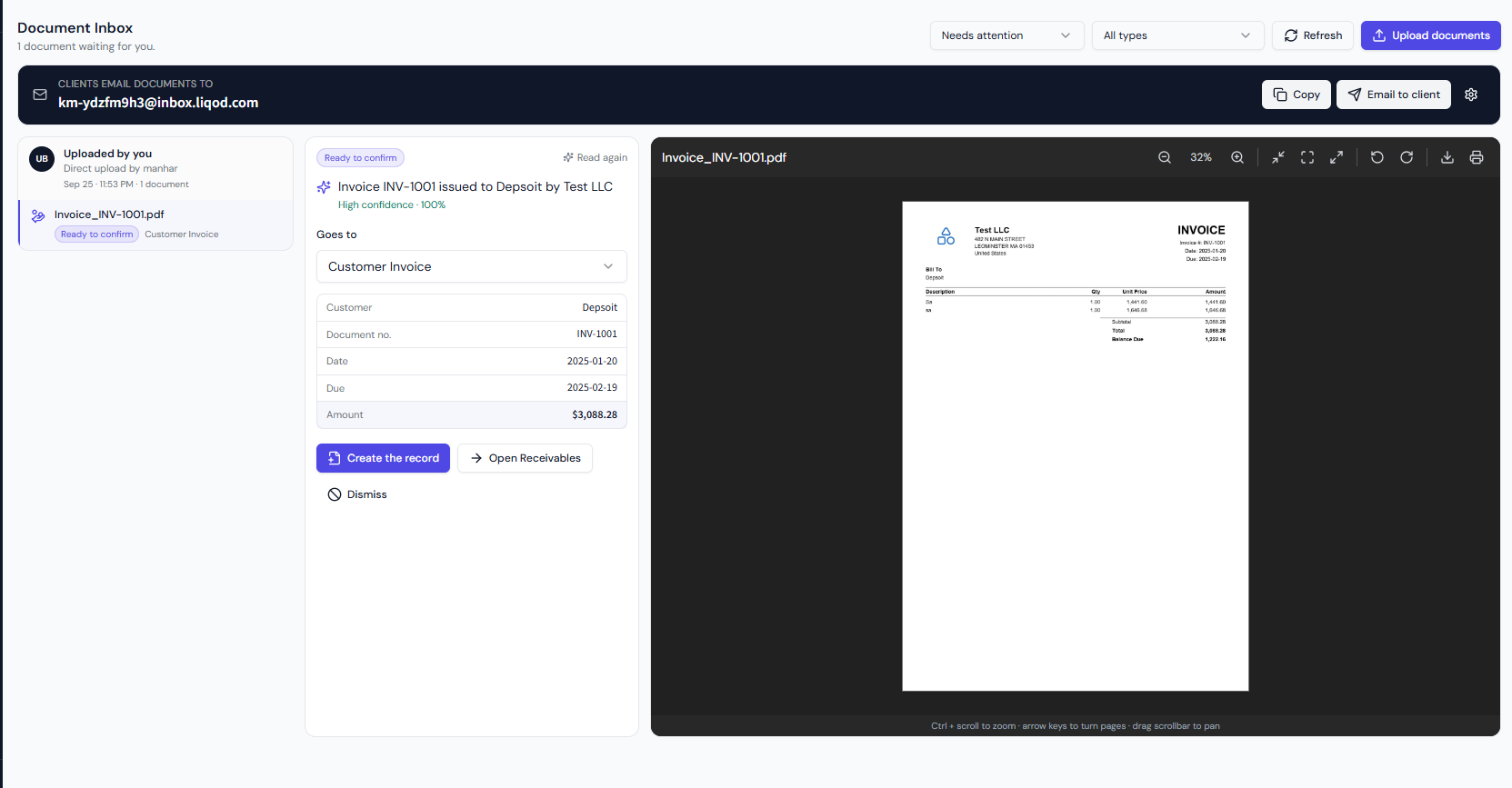
Clients email documents. AI files them. Every company gets its own inbox address. Bills, invoices, receipts and statements emailed there are read by AI, which suggests where each belongs and pre-fills the details — you confirm and the record is created.
- A unique, private email address for every company
- Document type, amounts, dates and parties read automatically
- One click creates the bill, invoice, receipt or statement
How it works
From statement to filed
report in five steps.
Upload the statement
Drop in a bank or credit-card PDF, CSV or Excel file — one month or a whole year at a time.
Every line is extracted
Dates, descriptions, amounts and running balances are read and checked against the statement totals.
Review the categories
Accounts are suggested from your chart of accounts. Confirm, correct, or save a rule so it never asks again.
Match and reconcile
Checks, invoices, bills and receipts match themselves to the bank rows. Clear the rest and close the period.
Report and file
P&L, Balance Sheet, Trial Balance and General Ledger — monthly or full-period, exported to PDF or Excel.
Built for data you cannot afford to lose.
Encrypted in transit and at rest
Statements and ledger data are transmitted over TLS and stored encrypted.
Role-based access
Workspace members only reach the companies you grant them; clients get read-only visibility.
Full audit trail
Every edit, posting, void and rule application is recorded with who did it and when.
Row-level isolation
Each company’s records are enforced at the database layer, not just hidden in the interface.
$29.99 per company / month
Every module ships with the plan — no tiers, no add-ons. Start with a 14-day free trial.
Monthly allowances and history pricing are on the Pricing page.
Frequently asked questions
Talk to us
Questions about migrating your books, or want a walkthrough? Send a note and we’ll reply personally.
Three statements free — no card required